


Reboot and test the enroll finger process

May 26, 2026
 2
2
This is how a manager would reboot the fingerprint process.
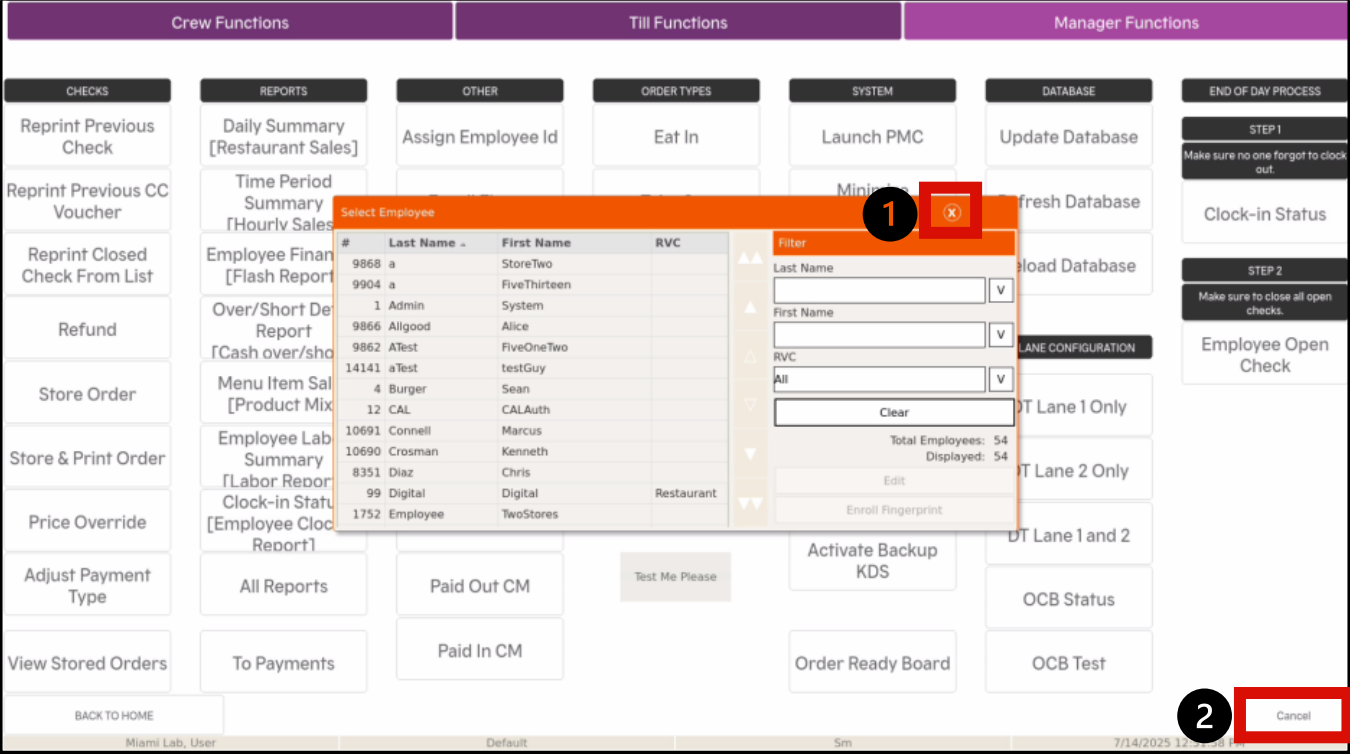
- From the employee list that populates when assigning the fingerprint, click the X on the top right corner, then Cancel to exit the process
Please note, this will take you back to the log in screen
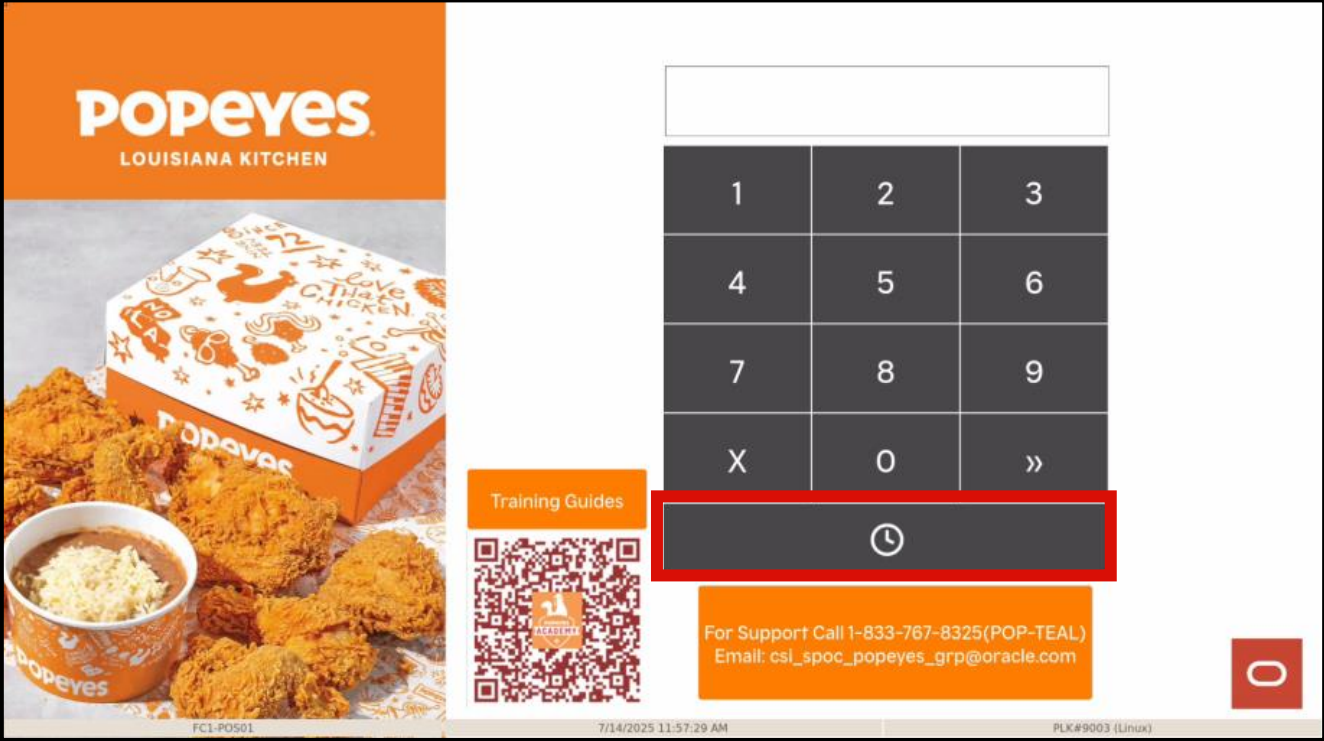
- Select the clock icon, then place the finger on the same place where the fingerprints were initially enrolled to test
- In case you receive an error, re-enroll the employee fingerprint.


